Mobile Apps Settings
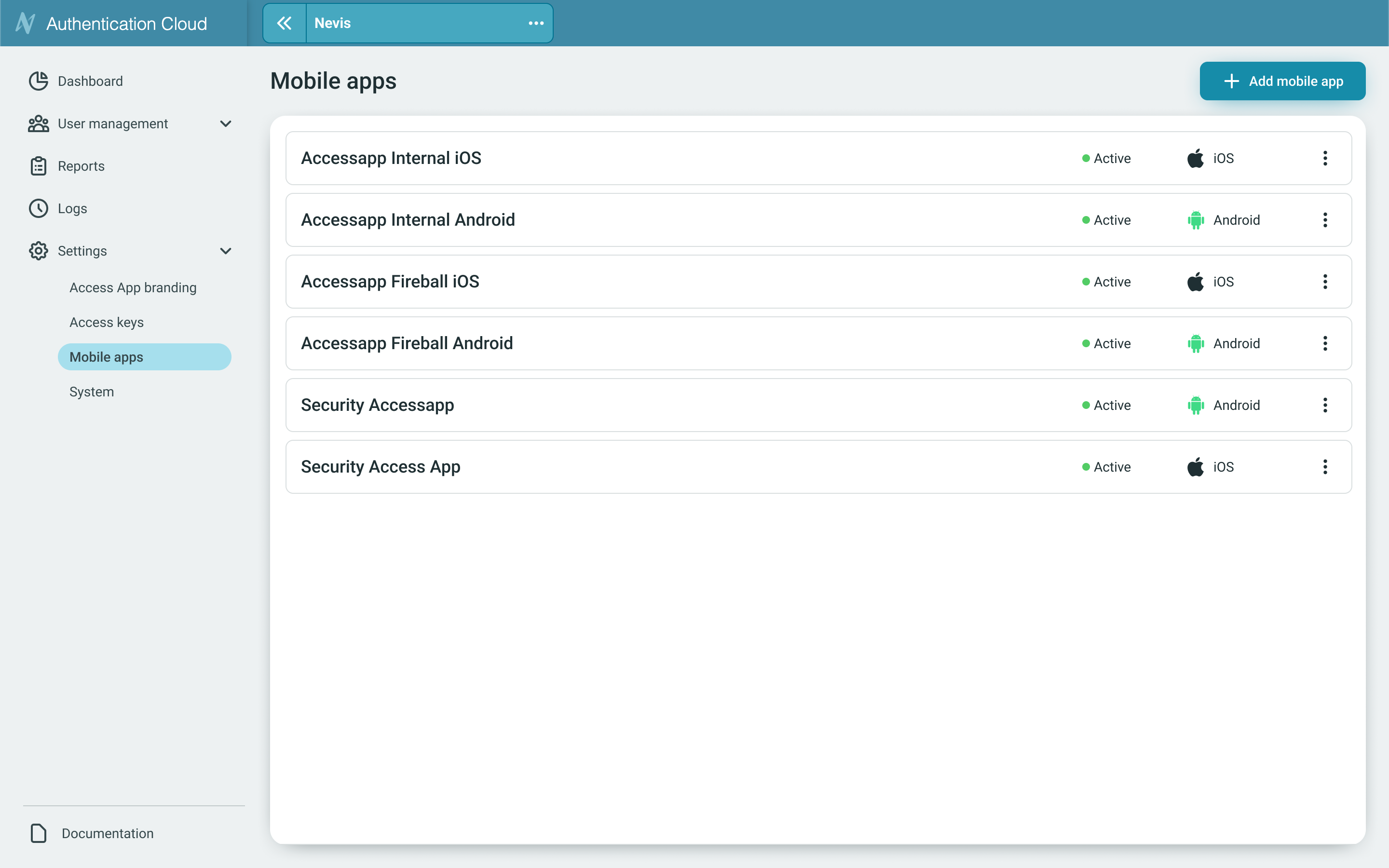
The Mobile Apps screen provides you with a centralized interface to view, manage, and maintain mobile applications. From this page, you can monitor the status of each app and perform management actions such as deleting exisitng apps or adding new ones.
Facet ID
For security purposes, every application that intends to interact with your instance needs to be listed. Only applications that are explicitly registered and set to active in the Mobile Apps List are permitted to connect, authenticate, or perform operations. This prevents unknown, unintended, or malicious apps from accessing your environment. See Facet ID.
These settings control critical functions of your Authentication Cloud Instance. Modifying System Settings incorrectly can lead to service instability, unexpected behaviour, and potential service interruptions. We strongly recommend that only technical users with a full understanding of the consequences make any changes.
Add Mobile App
iOS
The Add iOS application screen allows users to register a new iOS app. This form collects essential configuration details required for application setup, identification, and optional deep-linking features.
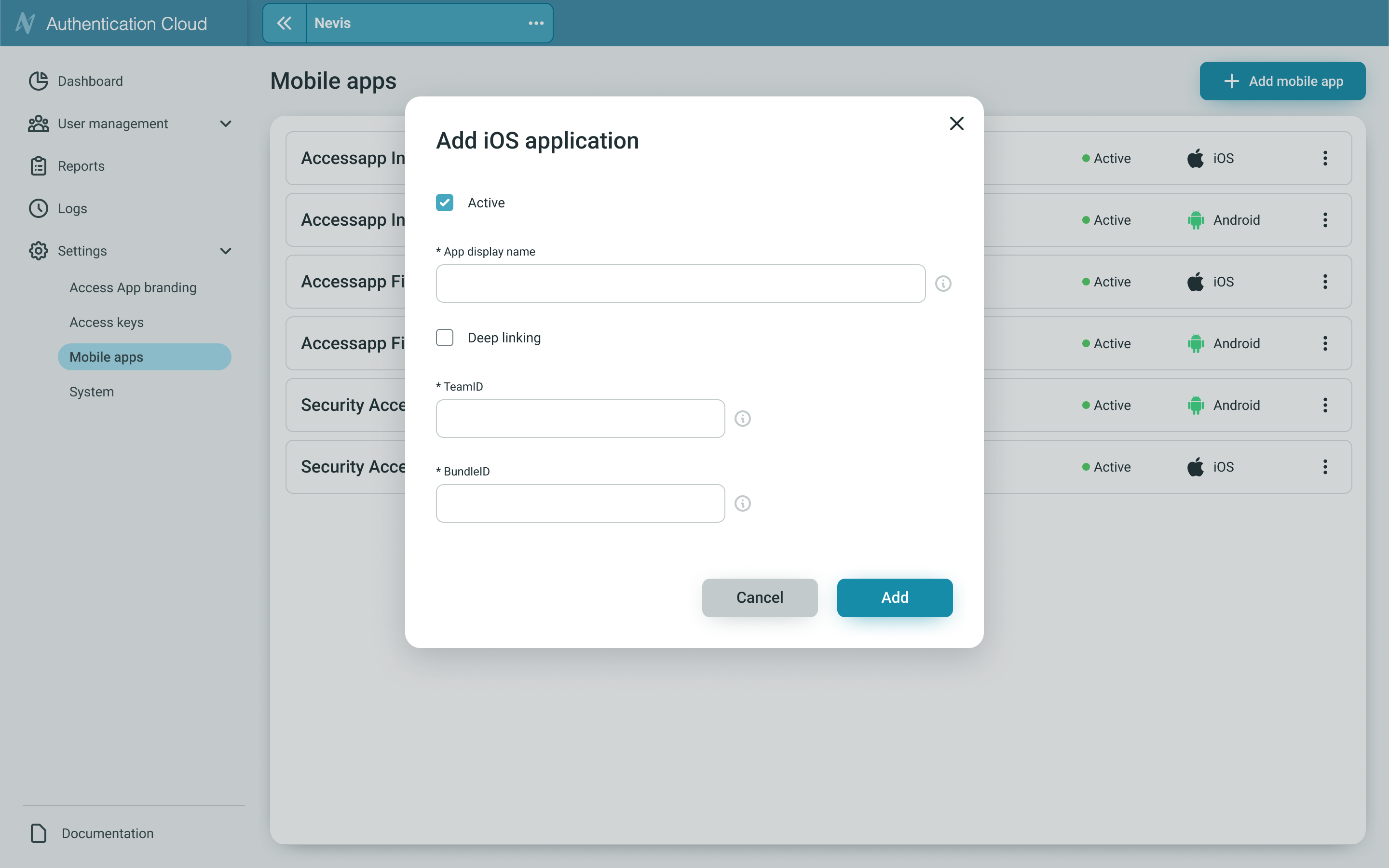
- Active - Indicates whether the application should be enabled immediately after creation. (default is active)
- App Display Name - The app appears under this name in the Mobile apps list.
- Deep Linking - Enables support for deep linking within the app. Check this option if your application uses Universal Links or custom URL schemes. See more details Deep Links.
- Team ID - It is a unique 10-character string generated by Apple that’s assigned to your team.
- Bundle ID - A bundle ID identifies a single app throughout the system.
Android
The Add Android application screen allows users to register a new Android app. This form collects essential configuration details required for application identification, activation, and optional deep-linking capabilities.
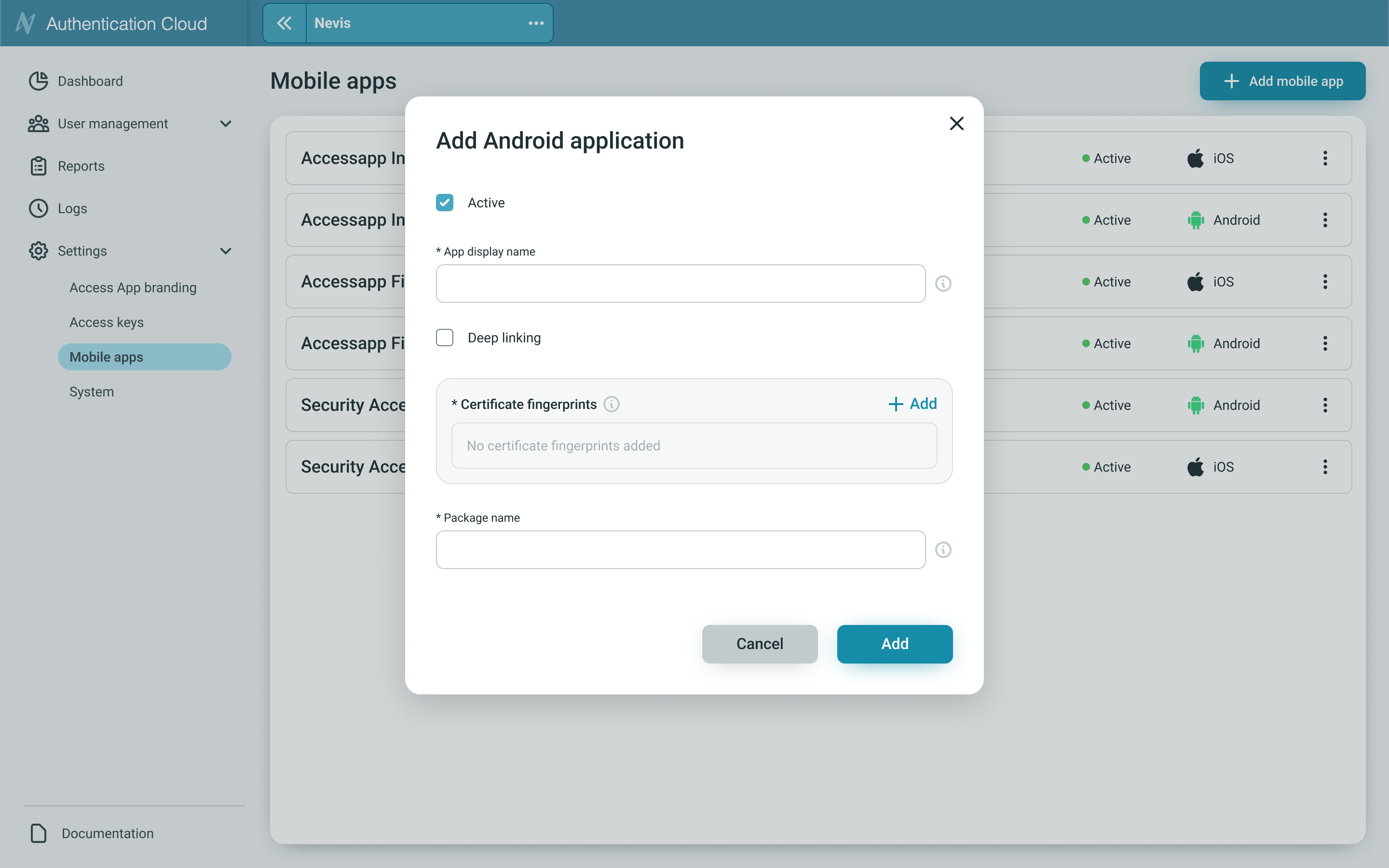
- Active - Indicates whether the application should be enabled immediately after creation. (default is active)
- App Display Name - The app appears under this name in the Mobile apps list.
- Deep Linking - Enables support for deep linking within the app. Check this option if your application uses Universal Links or custom URL schemes. See more details Deep Links.
- Certificate fingerprints - The certificate used to sign your Android application contains a SHA value known as a 'fingerprint'.
- Package name - The package name of an Android app uniquely identifies your app on a device.