Continuous Sync Setup
After completing the initial bulk migration, use continuous sync modes to keep nevisID and your other legacy systems up to date as users are created, changed, or deleted. This page covers both continuous modes.
Continuous modes at a glance
| Mode | Gradle task | What it does |
|---|---|---|
| Continuous Inbound | runCInbound | Reads change events from inbound_event table and applies them to nevisIDM via SCIM |
| Continuous Outbound (legacy) | runCOutbound | Listens to JMS provisioning events from nevisIDM and writes changes to a foreign system using SampleUserRepository |
Setting up Continuous Inbound
Continuous Inbound monitors the inbound_event database table for new entries and applies them to nevisID. Your foreign system (or an integration layer) is responsible for inserting rows into this table.
Step 1 - Create the inbound_event table
CREATE TABLE inbound_event (
    id             BIGINT AUTO_INCREMENT PRIMARY KEY,
    event_type     VARCHAR(16)   NOT NULL,
    foreign_user_id VARCHAR(256),
    client_id      VARCHAR(256),
    data_json      VARCHAR(8192),
    status         VARCHAR(16)   NOT NULL DEFAULT 'PENDING',
    created_at     TIMESTAMP     NOT NULL DEFAULT CURRENT_TIMESTAMP,
    processed_at   TIMESTAMP,
    error_detail   VARCHAR(4096)
);
Valid values for event_type are CREATE, PATCH, and DELETE. The status column is managed by the tool: PENDING → DONE or FAILED.
⚠️ WARNING : The event type UPDATE is not valid. Use PATCH for partial user updates.
Step 2 - Configure the database connection
spring:
  datasource:
    url: jdbc:mysql://event-db:3306/migration
    username: migration-user
    password: secret
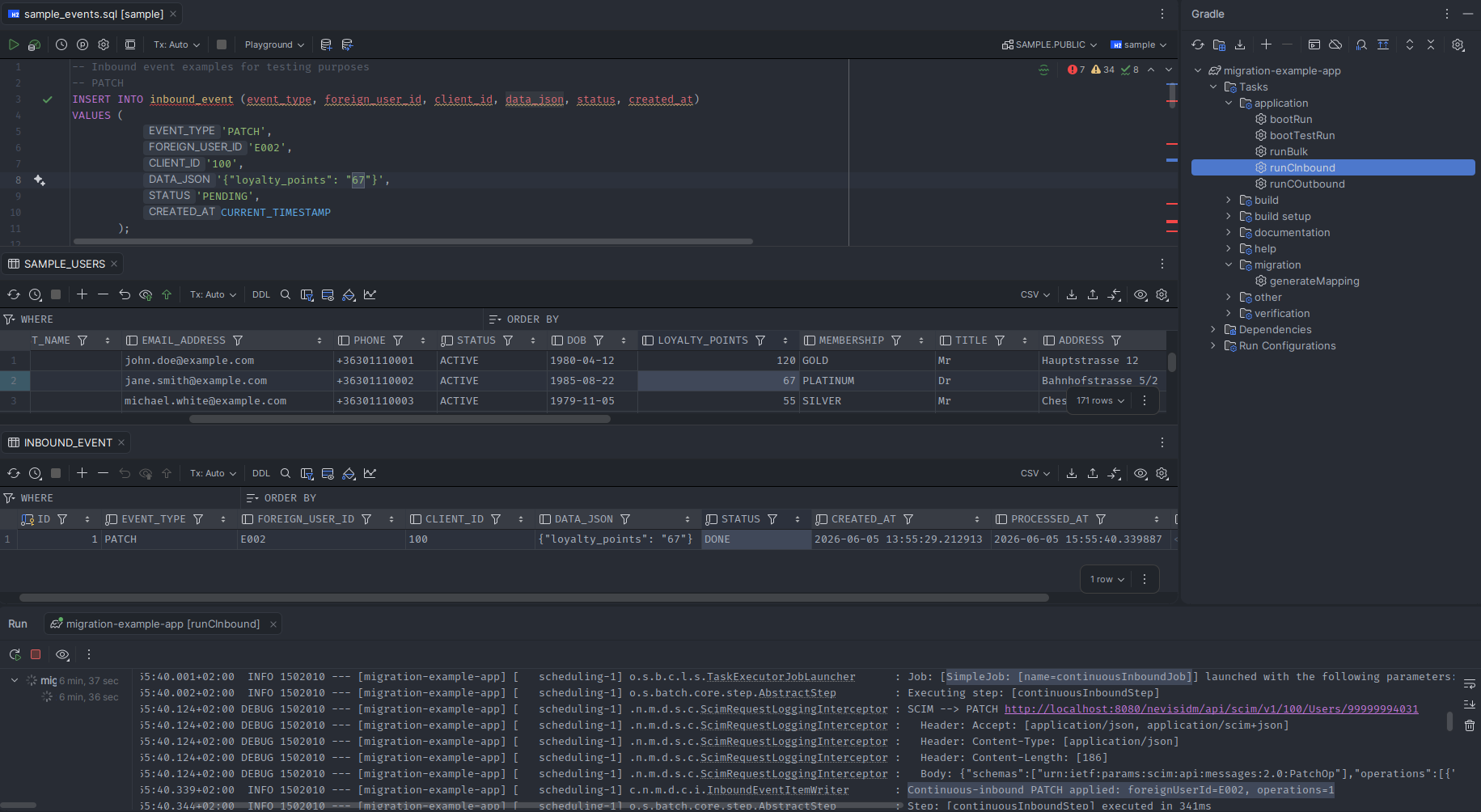
Step 3 - Start Continuous Inbound
./gradlew runCInbound
The tool polls the inbound_event table at a configurable interval, processes all PENDING rows in order, and updates each row's status to DONE or FAILED.
ℹ️ NOTE : To scope individual events to a different nevisID client than the default, set a value in the client_id column of that row. This overrides default-client-ext-id for that event only.
Setting up Continuous Outbound (legacy backend)
Continuous Outbound listens to the nevisID's JMS provisioning queue for user changes and writes changes to your foreign system.
Step 1 - Configure the JMS broker
spring:
  artemis:
    mode: native
    broker-url: tcp://jms-broker:61616
    user: jms-user
    password: jms-secret
migration:
 continuous-outbound:
  queue: Provisioning
  cron: "0/20 * * * * *"
Step 2 - Implement the foreign writer
The tool provides a SampleUserRepository sample repository implementation with demonstration of upserting, deleting users, credentials and profiles. You must implement your own repository layer, with these functionalities.
Wire your implementation as a Spring bean. The outbound mapping in outbound_mapping.yml controls field translation (see Field Mapping Configuration).
Step 3 - Start Continuous Outbound
./gradlew runCOutbound
The tool's ProvisioningEntryListener subscribes to the JMS queue and processes each event. Events carry entity types USER, CREDENTIAL, and PROFILE, and operations I, U, or D.
Monitoring continuous modes
All continuous modes log to the console and to the outbound_event or inbound_event tables depending on direction. Query failed events at any time:
-- Inbound failures
SELECT * FROM inbound_event WHERE status = 'FAILED';
-- Outbound events (processed by JMS listener)
SELECT * FROM outbound_event WHERE status = 'FAILED';